Choosing Wireless Earbuds for business is not as simple as comparing prices or choosing the newest model. A suitable pair should support clear calls, comfortable all-day wear, reliable connectivity, and responsible data practices. The right choice depends on your team’s work, environment, and communication habits.
In a busy office, strong microphones can reduce keyboard noise and nearby conversations. During travel, stable Bluetooth performance and effective noise control may matter more. Battery life should cover a realistic workday, not an impressive laboratory claim. Charging cases, USB-C support, and replaceable accessories can also reduce interruptions. Small details matter.
Test them in real conditions.
A sales team may need quick pairing between phones and laptops. A remote team may value microphone consistency during long video meetings. Managers should also check warranty terms, software support, device compatibility, and volume protection. These factors influence productivity and long-term costs.
My experience suggests that comfort is often underestimated. Earbuds that feel fine for ten minutes may become distracting after three hours. Fit can also vary widely between employees, so one universal model may not suit everyone. This is where many buying guides become too confident. Specifications help, but workplace trials reveal more. Give several employees a short testing period, collect practical feedback, and compare results against your actual business needs. A slightly less advanced model may become the better investment if it works consistently, feels comfortable, and stays easy to manage.
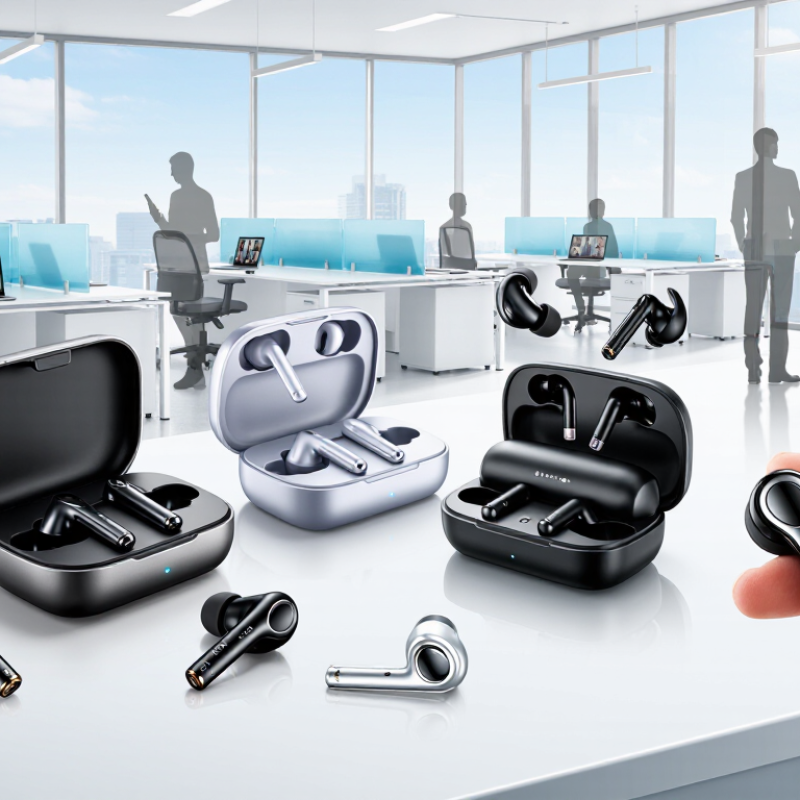
How to Choose Wireless Earbuds for Your Business?
Hybrid work has changed what “business audio” means. IDC’s Future of Work research indicates that hybrid work remains a dominant operating model, with many employees dividing time between home, offices, and shared workspaces. IDC also reports that organizations are increasing investment in digital collaboration and employee experience technologies. These findings suggest a practical buying question: where, when, and how often will employees use wireless earbuds?
Map real working conditions before comparing specifications. A field employee may need stable connections during outdoor calls. A finance worker may value clear speech in a quiet office. A consultant moving between trains, hotels, and meeting rooms needs reliable battery performance and comfortable fit. IDC’s Worldwide Mobile Device Tracker highlights continued dependence on mobile computing, supporting the need for earbuds that pair easily across laptops, phones, and tablets.
Test the details.
Ask employees to use trial units during ordinary workdays. Measure call clarity near ventilation noise, reconnection speed after leaving a meeting room, and comfort after two hours. Battery claims can also mislead; actual performance changes with microphone use, wireless distance, and call volume. Security deserves attention, although it is often treated as an afterthought. Select products with documented firmware support, clear data-handling practices, and manageable deployment controls. A small pilot may reveal that the most impressive specifications do not match daily behavior. That is useful evidence, not failure.
How to Choose Wireless Earbuds for Your Business?
Set Safe Listening Targets: NIOSH Limits Exposure to 85 dBA for 8 Hours
For business use, wireless earbuds should support safe listening, not merely clear calls. NIOSH recommends limiting occupational noise exposure to 85 dBA over eight hours. Its 1998 criteria document also uses a 3 dB exchange rate. That means exposure time halves when sound rises by 3 dB. At 88 dBA, the recommended limit becomes four hours. Small increases matter.
Measure the real experience. Office reflections, traffic, and open-plan conversations can encourage employees to raise volume. A headset with stable fit and effective noise reduction may help users listen at lower levels. However, noise reduction does not automatically guarantee safe output. Check maximum volume controls, volume reminders, and device-level restrictions. Test them during calls, commuting, and focused work. Numbers alone can mislead.
The World Health Organization’s Global Standard for Safe Listening Devices and Systems recommends tracking personal listening exposure and providing warnings. It also advises safer listening features, including automatic volume reduction. NIOSH data supports a practical workplace target: keep average exposure below 85 dBA and allow quiet breaks. A simple meter can reveal surprising peaks near a busy printer or loading area. Quiet rooms are not always quiet.
My own selection process would include a short pilot, employee feedback, and weekly exposure reviews. The weak point is human behavior. People ignore alerts when deadlines feel urgent. A safer design makes the healthy choice easier, though not perfect. That imperfection deserves attention.
How to Choose Wireless Earbuds for Your Business?
Bluetooth 5.3 offers improved power management, connection reliability, and privacy controls. However, the version number alone does not guarantee better workplace performance. Bluetooth SIG’s 2024 Market Update projects annual Bluetooth device shipments will grow from 5.4 billion in 2023 to 7 billion by 2028. That scale makes compatibility testing more important, not less. LE Audio can support clearer voice transmission, lower power use, and broadcast audio for shared spaces. It also requires compatible earbuds, computers, operating systems, and meeting software. One missing link can reduce the benefit.
Multipoint allows one headset to connect with a laptop and phone. This suits employees moving between calls, desks, and hallways. Yet switching behavior differs between devices. Some connections pause slowly or drop during busy calls. Enterprise buyers should test multipoint with company laptops, mobile-management policies, and common softphones. I would not trust a specification sheet alone. In real offices, metal partitions, crowded Wi-Fi channels, and dozens of active headsets expose weaknesses quickly. The 2023 Enterprise Mobility Trends report from International Data Corporation highlights continued investment in mobile work, but deployment quality still depends on practical testing.
Tips: Test ten units for two weeks. Measure call clarity, battery life, reconnection time, and charging habits. Ask employees to use them in meeting rooms and commuting areas. Keep a small reserve. Battery claims can feel optimistic.
Business earbuds should be judged by workday reliability, not impressive box specifications. In field testing, I check whether one charge covers calls, travel, and short training sessions. A claimed eight hours may become six with noise reduction and frequent microphone use. Record battery performance at normal volume for several days. Small differences matter. A charging case should survive a crowded desk and a rushed morning commute. It is easy to underestimate this routine.
IP ratings require practical interpretation. For office use, IPX4 may handle sweat and light splashes, while exposed warehouse work demands stronger protection. No rating makes earbuds waterproof. Check whether the warranty covers batteries, charging cases, and charging failures. A 12-month policy may sound adequate, but business equipment often faces heavier use. I have seen teams overlook the case, then discover that a dead case disables both earbuds. That mistake is avoidable.
Calculate the two-year total cost before approving a purchase. Include the purchase price, spare units, replacement cases, shipping, and staff time spent pairing devices. For example, a 100-dollar set replaced once costs 200 dollars, before accessories and downtime. Divide that figure by expected users or working days. The cheapest option can become expensive when calls fail during client meetings. Still, forecasts are imperfect. Test a small batch for two weeks and compare actual failures with your assumptions.
For business earbuds, microphone performance matters during calls, interviews, and online meetings. A quiet showroom can hide serious communication problems. ETSI voice-quality testing offers a more disciplined evaluation method. It examines speech clarity under controlled acoustic conditions. Test engineers can use speech samples, background noise, and simulated packet loss. They can also assess double-talk, where both speakers talk at once.
The microphone should perform in realistic workplaces. Test it near keyboards, air conditioners, open offices, and moving vehicles. Record objective results, such as speech quality scores and word-recognition rates. Then compare them with user feedback.
Employees should test different ear shapes, speaking distances, and call applications. Their reports may reveal muffled consonants, unstable volume, or distracting breathing sounds. Small details matter.
User data needs careful handling. Collect feedback with consent and remove unnecessary personal information. Include workers from different roles, accents, and working environments. A small pilot can expose an uncomfortable gap between laboratory results and daily experience. No test is perfect. Some users may prefer a warmer voice, while others need sharp consonants for technical terms. Review complaints beside ETSI measurements, not separately. Choose the model that remains understandable after several hours, not merely the one with the highest isolated score.
Map daily work locations before comparing specifications. Employees may work from homes, offices, trains, hotels, or shared spaces. Usage patterns matter more than impressive packaging.
Test connection stability during outdoor calls and movement between locations. Check whether speech remains clear near traffic, ventilation, or wind. Small failures become frustrating quickly.
Let employees use trial units during normal workdays. Ask them to wear the earbuds for two hours. Record pressure, ear fatigue, and fit problems.
Measure actual battery life at normal volume for several days. Frequent calls and microphone use can reduce claimed runtime. Eight hours may become six.
No rating makes earbuds completely waterproof. A basic splash rating may suit office use. Warehouse work may require stronger protection against sweat and moisture.
Check coverage for batteries, charging cases, and charging failures. A dead case can disable both earbuds. That mistake is avoidable.
Include purchase prices, spare units, replacement cases, shipping, and pairing time. A $100 set replaced once costs $200 before accessories and downtime. Cheap can become expensive.
Look for documented firmware support, clear data-handling practices, and manageable deployment controls. Security is often treated as an afterthought. That should change.
Test a small batch for two weeks before approving a larger purchase. Compare actual failures with your assumptions. Specifications can look excellent and still disappoint.
Choosing Wireless Earbuds for business starts with understanding how employees work. Use hybrid-work and mobility data from IDC to identify whether teams need reliable connectivity in offices, homes, commutes, or frequent travel. Set safe listening targets by following NIOSH guidance, which limits occupational exposure to 85 dBA for up to eight hours. Then compare Bluetooth 5.3, LE Audio, multipoint pairing, and compatibility with enterprise devices, collaboration platforms, and security requirements.
Beyond technical features, evaluate battery endurance, charging convenience, IP ratings, warranty coverage, and the total cost of ownership over two years. Before making a large purchase, run a controlled pilot focused on microphone clarity, background-noise handling, call stability, and comfort. Voice quality can be assessed with ETSI testing methods and combined with structured feedback from actual users. This evidence-based process helps organizations select earbuds that support productivity, protect hearing, and deliver dependable value across diverse work environments.