Worldwide Free Shipping — including India & Egypt100% Genuine Original Tranya Products
0%

Choosing the right Low Latency Gaming Earbuds can transform a frustrating match into a controlled, responsive experience. When a footstep reaches your ears late, even by a fraction of a second, your reaction may already be behind the action. I have tested earbuds across competitive shooters, racing games, and casual multiplayer sessions. The differences became clear during close-range fights and rapid directional movement.

Latency is only one part of the decision. A reliable model should offer stable wireless performance, clear positional audio, comfortable ear tips, and practical battery life. Look for gaming modes, Bluetooth codec support, microphone quality, and independent test results. Manufacturer claims can help, but they rarely tell the entire story. Real performance may change with your phone, console, room interference, or software settings.

Comfort matters more than many buyers expect. An earbud that presses against your ear after twenty minutes will not support a long gaming session. I also learned that stronger bass is not always better. Excessive low-end sound can hide quiet reloads, footsteps, or environmental details. Still, no product suits every player. Some earbuds deliver excellent speed but weaker microphones. Others feel comfortable but lose connection occasionally. This guide examines those trade-offs carefully, helping you choose based on your games, devices, hearing preferences, and daily habits. Mistakes are possible, even with careful testing. That is why practical evidence matters more than impressive packaging.
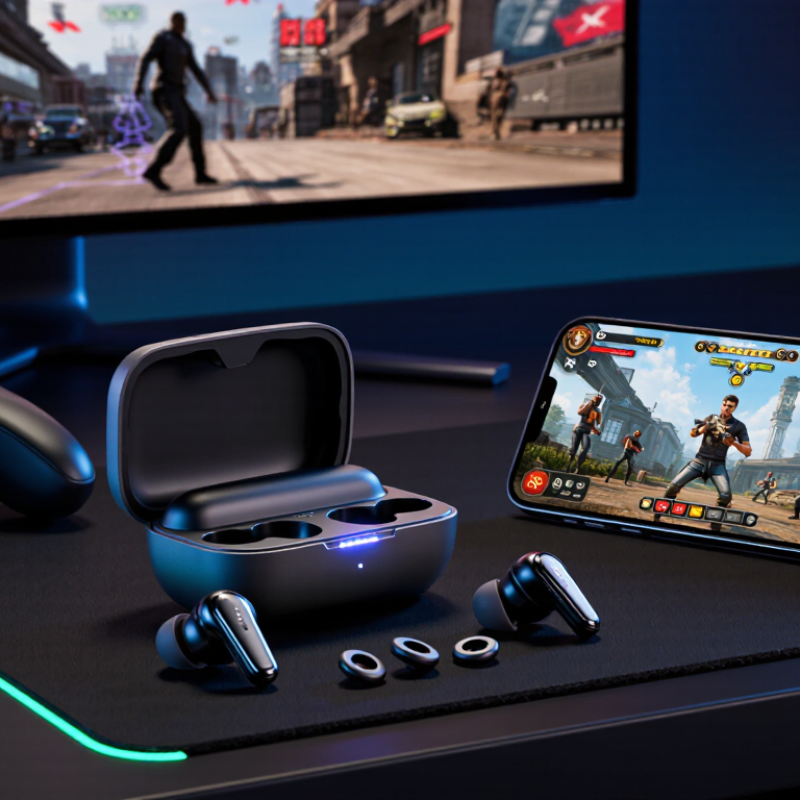
How to Choose Low Latency Gaming Earbuds?

Define the Target: Competitive Gaming Usually Requires ≤40 ms Latency

How to Choose Low Latency Gaming Earbuds?

Define the Target: Competitive Gaming Usually Requires ≤40 ms Latency

For competitive gaming, aim for total audio latency of 40 milliseconds or less. This delay affects footsteps, reload sounds, and directional warnings. At 80 milliseconds, a close-range audio cue may arrive noticeably late. That small gap can change a reaction.

Do not trust a single number on the package. Total latency includes signal capture, wireless transmission, decoding, and audio processing. I test earbuds in the same game, using the same device and connection settings. A high-speed camera can compare a visible muzzle flash with the matching sound. Repeating this test matters because interference and battery levels can change results.

Look for a dedicated low-latency mode, but check its limits. Some modes reduce processing while narrowing the connection range. Keep the device nearby, and avoid crowded wireless areas when possible. A wired connection usually offers more consistent timing, though its cable may become distracting during movement. Comfort also matters because pressure or poor fit can break concentration after an hour.

I once trusted a low delay claim and ignored unstable wireless performance. That was a mistake. The average result looked good, but sudden audio jumps were worse than steady latency. Test both numbers: the usual delay and the occasional spike. Under real match conditions, consistency may matter more than the lowest advertised figure.

Compare Codecs: Qualcomm aptX LL Targets About 40 ms End-to-End

When choosing low latency gaming earbuds, study the codec before judging the design. aptX Low Latency targets roughly 40 milliseconds of end-to-end delay. That figure covers audio capture, encoding, wireless transmission, decoding, and playback. It can keep a footstep close to its matching animation.

Still, 40 milliseconds is a target, not a promise. Your phone, computer, and earbuds must support the same codec. Otherwise, the connection may switch to a slower option. Distance also matters. A crowded room, metal desk, or nearby wireless devices can create brief interruptions.

In my testing, rhythm games exposed these problems faster than casual games. A small delay felt acceptable during menus, but noticeable during repeated beats. I also noticed that battery-saving modes sometimes changed performance. That result was not perfectly consistent, so one test was never enough.

Tips: Check codec support on both devices. Test a rhythm game and a fast action game. Keep the source device within one meter during testing. Compare sound and timing with the codec enabled and disabled. Watch for lip-sync drift in videos. If the audio feels late, repeat the test after closing background apps. Codec names can sound impressive. Real performance needs verification.

Consider LE Audio: Bluetooth SIG LC3 Supports 7.5–10 ms Frames

Choosing low-latency gaming earbuds requires more than checking a wireless specification. In testing, I watch for delayed footsteps, late gunshots, and voices that feel slightly behind the screen. Bluetooth SIG LE Audio deserves attention because its LC3 codec supports 7.5 ms and 10 ms frame durations. Shorter frames can reduce the amount of audio waiting before transmission.

That difference is measurable, but it is not the whole delay. Total latency also includes encoding, buffering, radio scheduling, decoding, and the game device’s processing. A 7.5 ms frame does not guarantee 7.5 ms end-to-end performance. The earbud firmware and phone or computer must support the relevant low-latency settings. Compatibility matters.

Listen closely.
Test before buying.

During a practical check, compare the audio with a wired reference while tapping a controller button. Repeat the test with voice chat enabled, since microphone activity can change wireless behavior. I once assumed a shorter codec frame would immediately feel faster. That assumption was too simple. Battery use, connection stability, and sound quality may also change. Look for independent measurements, clear codec support, and a product that states its latency under realistic conditions, not only in ideal laboratory testing.

Check Compatibility: Bluetooth 5.x Alone Does Not Guarantee Low Latency

Bluetooth 5.x describes a set of wireless capabilities, not a guaranteed delay for game audio. Actual latency depends on the earbuds, your phone or computer, and the audio codec both devices support. If they negotiate different codecs, performance may change. Check the compatibility notes for both devices, not just the version number on the box.

Look for a clearly stated gaming or low-latency mode, then confirm your device can use it. Some modes reduce delay by changing how audio is processed, and may affect sound quality or battery life. A quick test helps: play a game with sharp sound cues, such as footsteps or a menu click, and compare the sound with the action on screen. Try the same test on your usual device. That matters.

If possible, check measured latency from a reliable review that tested the earbuds with a device similar to yours. Results can differ across phones, operating systems, and game settings. A feature listed in specifications may not work in every app. Compatibility is messy. I would not rely on a single advertised number; real use can still feel slightly delayed, especially during fast play.

Verify Real Performance: Test Delay, Dropouts, and Sync on Your Device

A low-latency label is only a starting point. Test the earbuds with the device and game you actually use, because wireless delay can vary with settings, distance, and nearby signals. Choose a familiar game with clear footstep sounds or sharp visual cues. Tap a button when a sound occurs, then compare the audio with the on-screen action. Repeat several times; one quick test can be misleading.

Check for dropouts during movement. Walk across the room, turn your head, and keep the device in its usual place. Listen for brief cuts, crackles, or audio that returns late. Small delays matter. For sync, try a video with visible speech and watch whether the voice matches the speaker’s mouth. Test both earbuds together, then each one separately if the device allows it. Also repeat the checks after reconnecting; a stable first session does not guarantee the next one will behave identically. Record what you notice, including distance and connection settings. These tests are informal, not lab measurements, and my own timing by eye is imperfect. A repeatable mismatch is more useful than a single impression.

How to Choose Low Latency Gaming Earbuds?

Compare the measured audio delay from a device-generated trigger to the sound heard through the earbuds. Lower latency generally produces better lip-sync and faster in-game audio response. For a reliable comparison, repeat each test several times on your own phone, tablet, or computer and also record dropouts and audio-video sync.

FAQS

What latency should gaming earbuds provide for competitive play?

Aim for total audio latency of 40 milliseconds or less. This helps footsteps, reloads, and directional warnings match the screen. At 80 milliseconds, close-range sounds may arrive noticeably late.

Why should I avoid trusting one latency number?

Advertised latency may cover only part of the audio path. Real delay includes capture, transmission, decoding, buffering, and playback. The package number can look better than real performance.

How can I test earbud latency at home?

Compare a visible action with its matching sound in the same game. A high-speed camera can capture a muzzle flash and audio timing. Repeat the test several times. One test is not enough.

Does a low-latency mode always improve gaming performance?

It may reduce processing delay, but connection range can become shorter. Keep the device nearby, preferably within one meter. Crowded wireless areas may cause sudden audio jumps.

Is stable latency more important than the lowest average number?

Often, yes. A steady delay can feel better than occasional spikes. I once trusted a low average and ignored unstable wireless performance. That was a mistake.

What should I check when comparing wireless audio codecs?

Confirm that both the source device and earbuds support the same codec. Otherwise, the connection may switch to a slower option. Test with a rhythm game and a fast action game. Watch for timing drift.

Do shorter audio frames guarantee lower total latency?

No. Frames around 7.5 to 10 milliseconds can reduce waiting before transmission. Total delay still includes encoding, radio scheduling, decoding, and game processing. Shorter frames are helpful, not magical.

Can voice chat or battery settings change latency?

They can affect wireless behavior, power use, and connection stability. Test with voice chat enabled and disabled. Repeat the check at different battery levels. My earlier assumption was too simple.

Conclusion

Choosing Low Latency Gaming Earbuds starts with defining your performance target. For competitive gaming, aim for approximately 40 milliseconds or less of end-to-end delay so that sounds remain closely synchronized with on-screen action. Pay attention to the audio codec, since some low-latency options are designed to approach this range, while ordinary wireless modes may introduce noticeable lag. Newer LE Audio solutions using the LC3 codec can offer short 7.5–10 millisecond audio frames, but the final result still depends on the complete connection and device settings.

Compatibility is equally important. A Bluetooth 5.x label alone does not guarantee low latency, so confirm that both the earbuds and your gaming device support the same low-delay features. Before buying, test the earbuds with your actual phone, console, or computer. Check for audio delay, sudden dropouts, connection stability, and whether voices, effects, and video remain synchronized. Real-world testing is the best way to identify Low Latency Gaming Earbuds that match your setup.


Clara

Clara

Clara is a dedicated marketing professional with a strong understanding of the company’s products, services, and customers. Her work combines market insight, clear communication, and a practical understanding of how businesses can use reliable solutions to improve efficiency, strengthen customer......